When a TV stops working, it is tempting to blame the mainboard. In practice, the power board is just as often responsible, and the symptoms can look almost identical. Both boards are expensive to replace, so it is worth spending a little time working out which section has failed before you order a part.
What each board does
The mainboard handles inputs, tuning, picture processing, smart apps, audio routing and communication with the T-CON and panel. The power board converts mains electricity into the DC voltages the TV needs and often drives the backlight as well. On some sets the LED driver is a separate board; on others it is built into the power supply.
Start with the simple checks
- Confirm the wall socket works and the plug is fully inserted.
- Try the power button on the TV, not only the remote.
- Unplug the TV for a minute, then reconnect it and listen for a click or relay.
- Look at the standby light. Is it off, solid, or blinking in a pattern?
- Check the fuse in the plug if it is accessible and the set is completely dead.
Do not open the back cover unless you are comfortable working around mains voltage. If you are not, stop here and ask a repair technician.
Symptoms that often point to the power board
- No standby light at all, with a known-good socket and cable.
- No click or relay when power is applied.
- A repeated click as the TV tries to start and immediately shuts down.
- The backlight flashes once and goes dark, especially if the rest of the TV also resets.
- A burning smell, a blown fuse or visible damage around the mains input.
A backlight that flashes can also be a failed LED strip or driver, so these symptoms are clues rather than a diagnosis.
Symptoms that often point to the mainboard
- The standby light is on and the TV responds, but there is no menu or logo.
- The TV loops on the brand logo or restarts when an input is selected.
- One HDMI port or the tuner fails while other inputs still work.
- Sound is missing on every input, or the on-screen menu is corrupted.
- Network, app or remote-control functions fail after the TV has started.
A mainboard can also cause a no-picture fault, but so can a T-CON, a panel cable or the panel itself. The pattern of what still works is more useful than a single symptom.
Faults that are neither board
A cracked panel, a failed backlight strip, a loose LVDS cable, a faulty T-CON, a damaged speaker or a dead remote can mimic a board failure. If the picture has lines, blotches or a cracked area, the panel is the first suspect. If the TV has sound but no image, the backlight or T-CON deserves attention before the mainboard.
What visual inspection can and cannot tell you
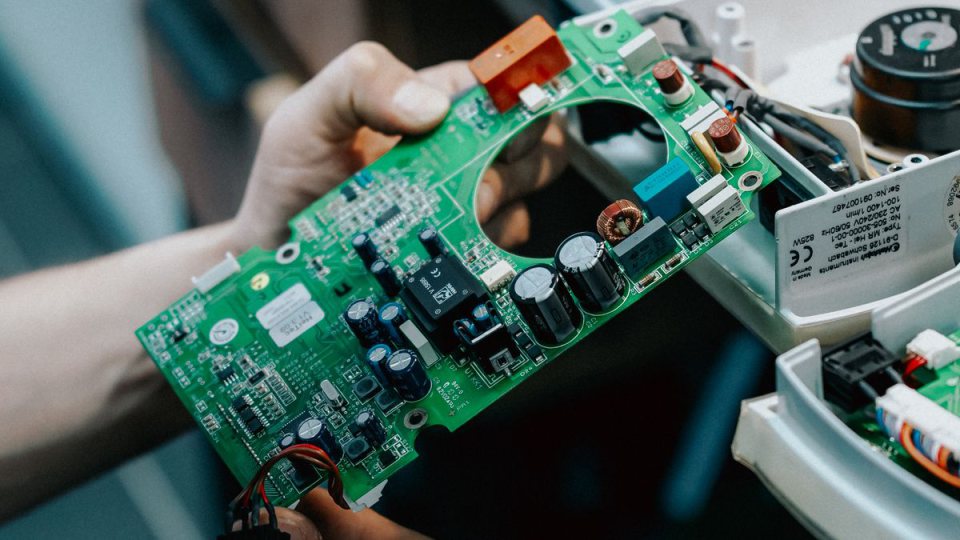
Bulging capacitors, burn marks and cold solder joints are useful warning signs, but a board can look perfect and still be faulty. Do not replace a board solely because it looks clean or because a cheap tester beeps. If you do inspect the power board, keep one hand away from the chassis and never probe a live board with the set plugged in.
Voltage checks need the right information
Measuring the rails is a job for someone with the service manual or the voltage table printed on the board. The capacitor charge can be dangerous, and a mistaken probe can destroy a good board or damage the new one. If you are not confident, a professional diagnosis is cheaper than guessing.
Do not replace both boards at once
Change one part at a time. If you fit a new mainboard and a new power board together, you cannot tell which one fixed the fault, and a faulty power supply can damage the replacement mainboard. Confirm that the power rails are correct before connecting an expensive board.
When to stop and ask for help
If the panel is cracked, the TV has suffered liquid damage, or more than one section has failed, a repair may not make economic sense. Safety comes first: unplug the set and do not continue if you see burnt wiring, a damaged mains cable or a swollen capacitor.
Get the right replacement
Once you have narrowed the fault, match the part by its board number and revision, not by the TV model alone. Our guide to mainboard replacement checks covers the matching process in detail. You can also send photos through the contact form or browse the TV motherboard category.
Photo: Bulat843 on Pexels.